IPTV 9.0.13
by Alexander Sofronov
Hi, here you can download APK file "IPTV" for free, apk file version is 9.0.13 to download to your android just click this button. It's easy and warranty. We provide only original apk files


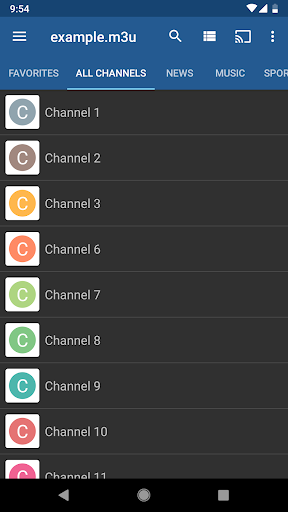


IPTV plays the playlist you already have — an M3U link, an M3U or XSPF file, or an Xtream Codes account. Live TV, films and series from your provider. No built-in channels: you add your own playlist.
IMPORT
— Paste a playlist URL
— Open an .m3u or .xspf file from the device
— Xtream Codes login: server, username, password
— Play video and audio files already on the device
— Several playlists at once, each with its own categories and favourites
— Open an M3U link from a browser and it loads in the app
EPG
— Programme grid: channels as rows, time across
— Add an EPG source in Settings: XMLTV or JTV, per playlist
— Hour and day markings above the grid
— Opens on the channel you were watching
PLAYBACK
— LibVLC engine: H.264, H.265/HEVC, VP9, AV1, AAC, AC-3, DTS
— Hardware acceleration
— Internal or external player
— Picture-in-picture, background audio, sleep timer
— Record the channel you are watching
— Multicast streams over a UDP proxy on your network
— Reconnect when a stream drops
DEVICES
— Android TV and Google TV, remote navigation throughout
— Phones and tablets: the same categories as rows, scrolled sideways
— Chromecast: send playback to a TV on your network
SETTINGS
— Favourites
— Parental control with a PIN, per channel and per category
— Custom user agent, buffer size, aspect ratio and preferred audio and subtitle languages
— Export and import the whole configuration
— 47 interface languages, light and dark theme
Your playlist comes from your IPTV provider, usually as a URL or Xtream credentials. We do not sell TV channels or channel subscriptions.
SUPPORT
support@iptvremote.ru
Privacy policy: iptvremote.ru/privacy
DISCLAIMER
- A media player only: it does not supply, host or distribute any content
- You provide your own playlist and are responsible for the content you access
- Not affiliated with any content provider
- Streaming copyright-protected material without permission is prohibited


